Spaces and sharing
A space per subject, shared live with the people you read with, with its own email address.
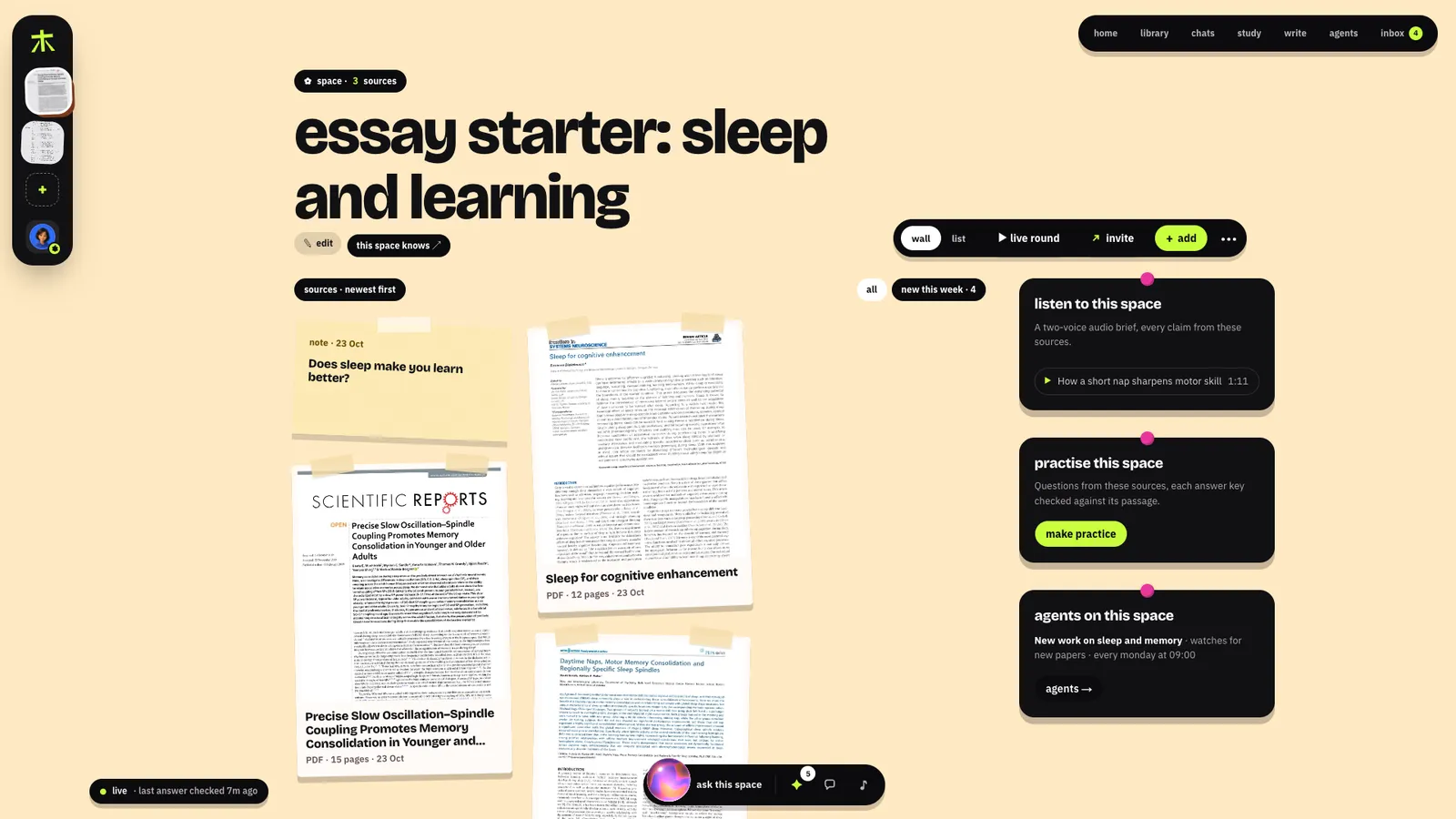
Spaces
A space holds one subject or project. Its sources, the answers you pinned, its folders and an audio brief sit on a wall in the space's own colour, and a live round plays its practice from the space's header. Make one from + in the rail, from a template (exam prep, essay or IA, literature review, reading group) or empty; a template adds the pieces that kind of work needs, such as a watch for new papers or a weekly quiz. this space knows ↗ opens what the space knows; wall and list switch how its sources are laid out.
Sharing a space
The invite button on a space opens who's in it and its link.
- Roles. People who can add bring their own sources into the space; people who can read read everything, ask, pin and leave takes. The owner changes roles or takes people out, and a person taken out takes their sources with them. A member's sources stay theirs: leaving, they choose whether to take them out of the space.
- The link. One link at a time, giving the role it was made with. Choosing a role makes a new link and the old one stops working. Anyone who opens it walks in through the enter card, no account needed.
- By email. Type an address and Konkyo sends the link (a kept account can send 10 a day).
- Together, live. Who's here right now, sources landing as they're added, the space chat (mention @konkyo to have it answer from the space's sources, with citations), pinned answers and takes on a source, for everyone at once.
- A live round. Play the space's practice together: a six-character join code, eight questions, answers face down until everyone has answered or 30 seconds pass, then the bars, the faces and the passage. The recap offers the questions the group missed.
Email a space
Each space has an address, shown in its invite popover to the owner and to people who add:
<code>@in.konkyo.xyz. Forward it a paper and it lands on the wall.
- Who goes straight in. Mail from the owner, or from someone who can add, whose own domain vouched for it (DMARC, or a DKIM signature of the sender's domain). The address alone never counts: anyone can type any From.
- Everyone else waits. Mail from anyone else lands in the owner's Inbox: add to the space or discard it. Nobody answering means it goes after 7 days.
- What becomes a source. Each attachment Konkyo reads (PDF, Word, PowerPoint, Markdown, text, audio, video), up to 10 an email and within the day's file allowance; and the email itself when it says enough on its own (40 words or more once the quoted thread and signature are cut).
- A new address. The owner can make a new one from the same popover; the old one stops working at once.
Signing in by email
Walk in as a guest, then keep it with Google or a six-digit code by email (it works for 10 minutes and 5 tries). Keeping it moves everything the guest had (spaces, sources, memory, practice) into the account. Sign in on another device asks for the email you kept it with.
Public spaces and articles
- A public link shows a space read-only to anyone, with the owner's own sources in it, and answers their questions from those sources with the same checks. Downloads are off unless the owner allows them.
- Publish turns a note into an article at
konkyo.xyz/a/<link>. It needs a kept account with a handle, and a current Check my draft of the saved text; the article shows what the check found (how many claims held, partly held, weren't found or were contradicted). See Write and publish.
The weekly digest
Turn it on in Settings → Notifications (kept accounts): on Fridays, at your reminder hour, an email lists what's new in your spaces, practice waiting and papers your watches found. A week with nothing new sends nothing.