Ask and compare
Answers only from your sources, every citation ticked once its quote is found, and where your sources disagree.
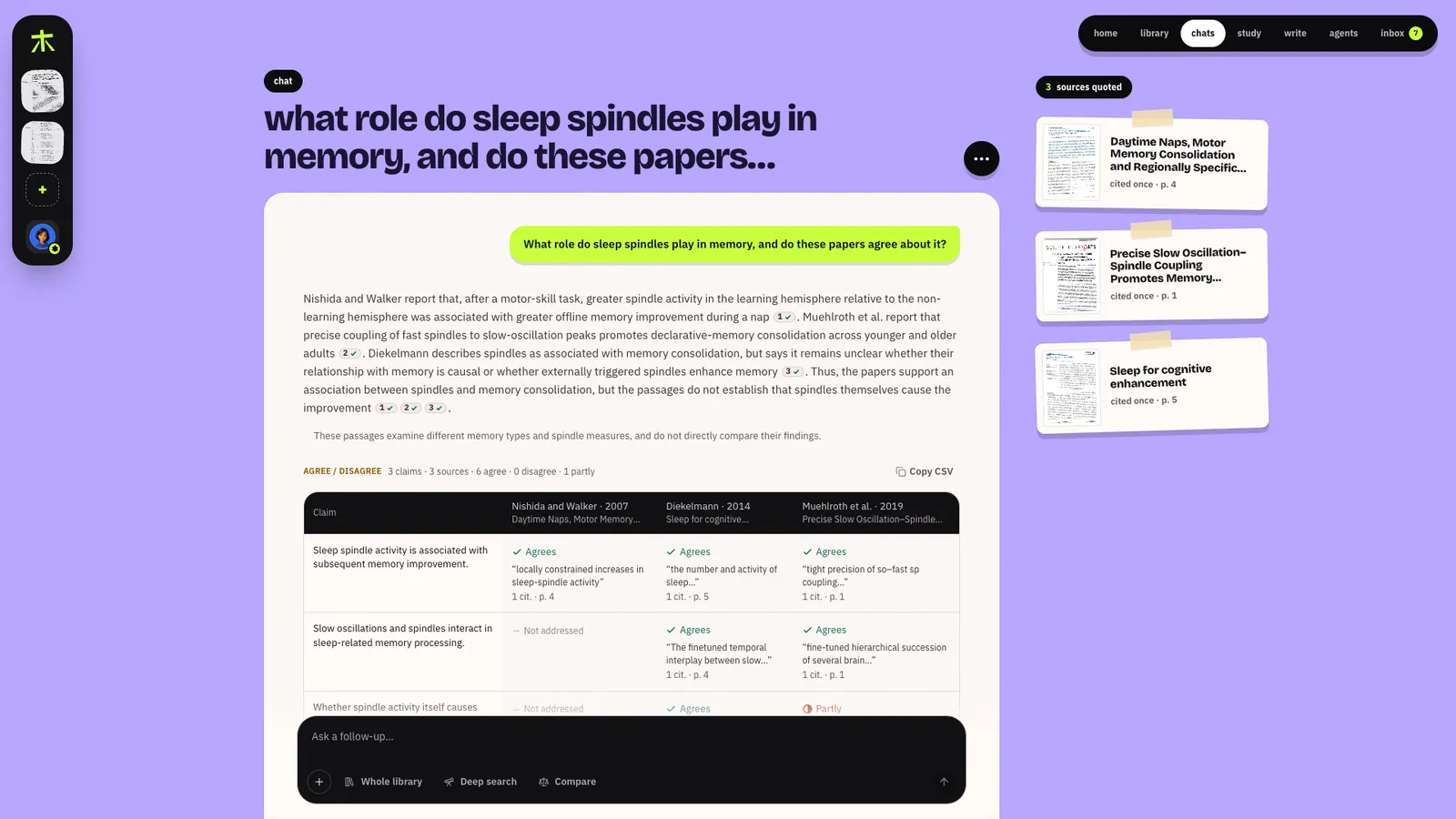
Ask
Ask from Home, a space's dock (ask this space), a file or folder's Chat with…, or a chat.
The box above the answer chooses what it reads: Whole library, or Focus on any mix of
folders and files; type @ to name one.
You see the draft as the Writer writes it. A citation shows as being checked until its quote is found word for word in Zetaris; then it gets its tick. A sentence the Verifier can't back is rewritten, at most twice, or dropped. How an answer is checked
Every citation opens its passage
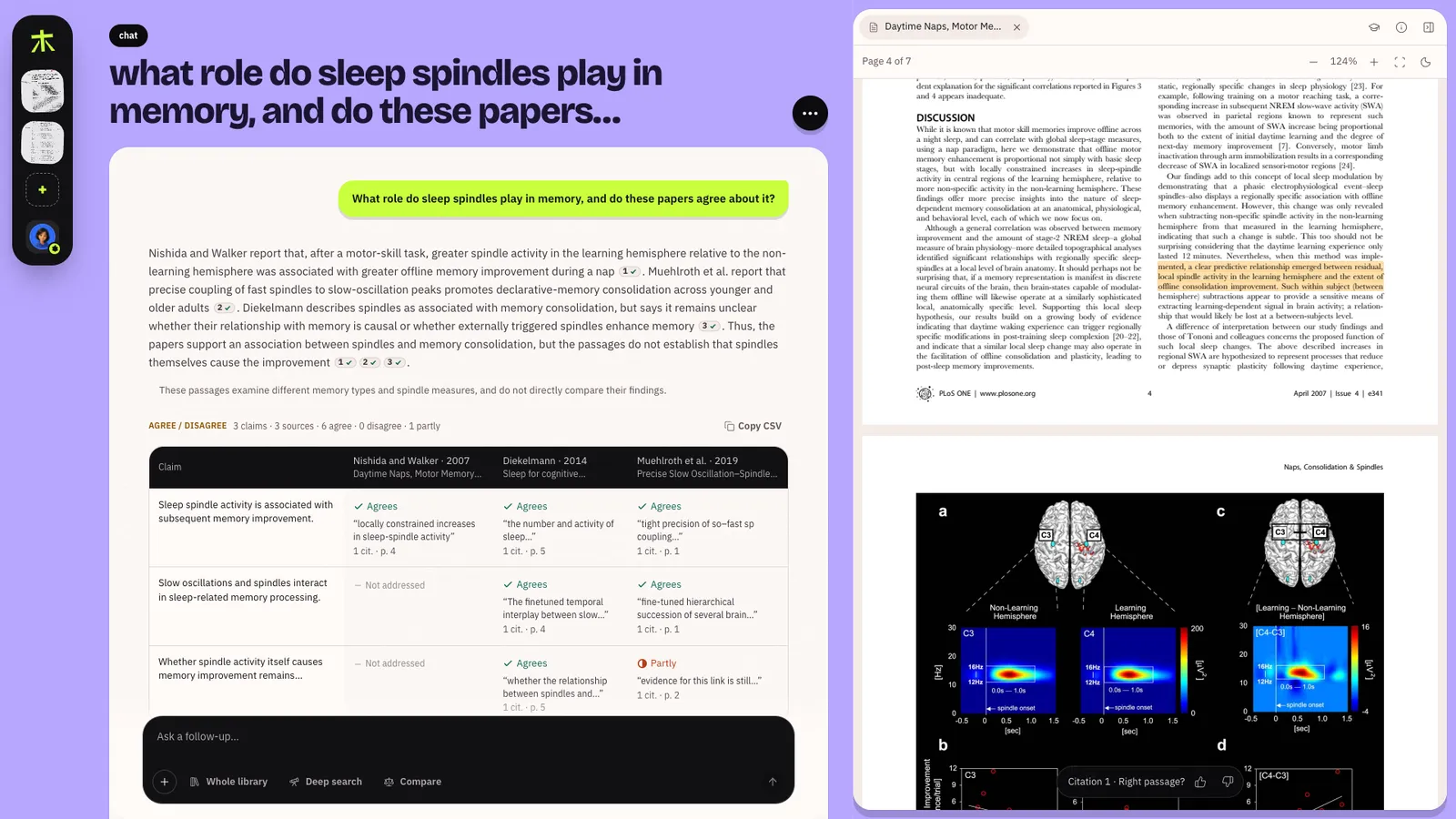
The source opens beside the chat, at the page, with the quoted lines marked. Right passage? asks if it pointed at the right place; a 👎 is saved as a correction that the Planner and Writer read before a similar question. A recording opens at the second the quote was spoken.
The receipt
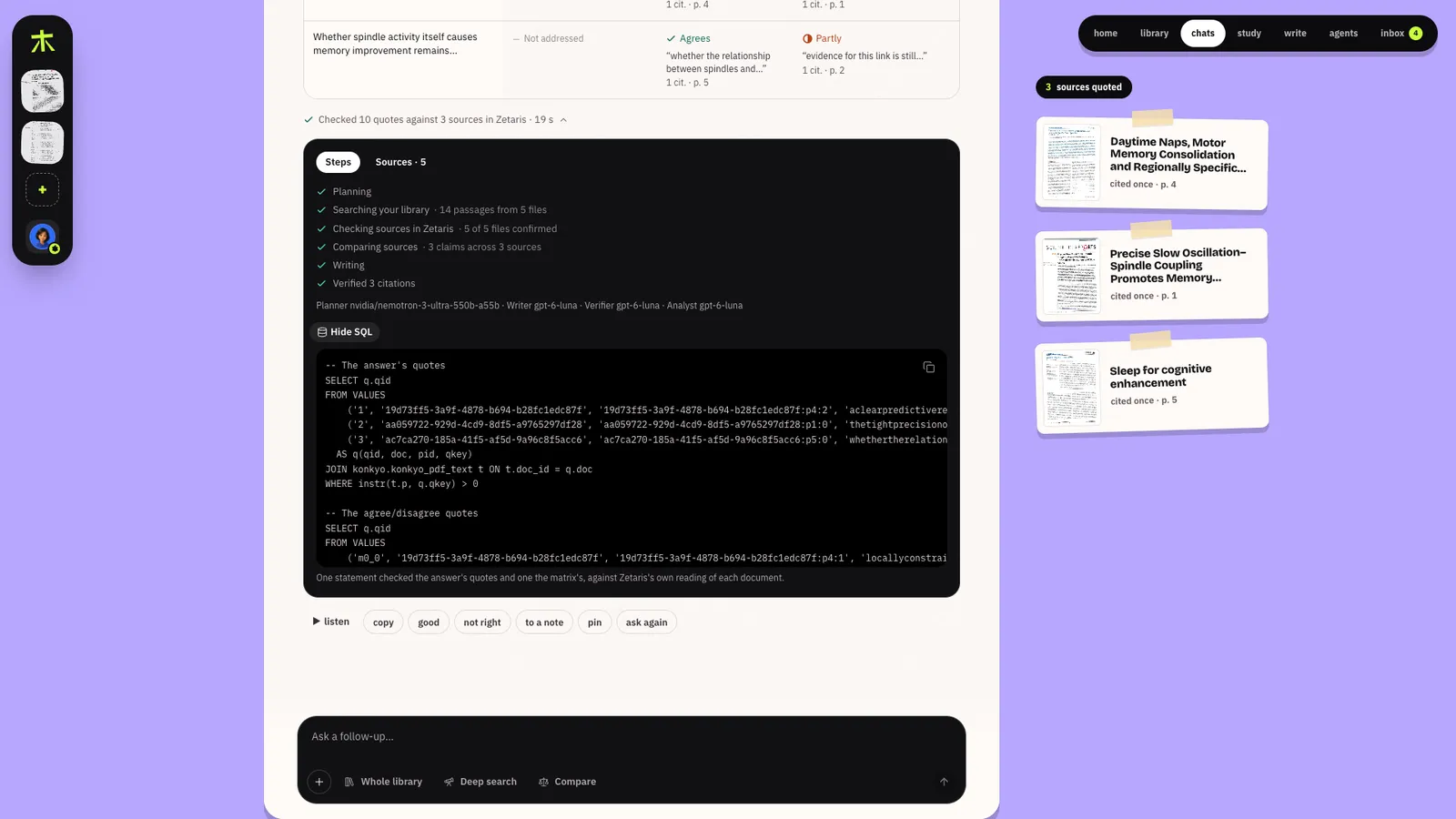
Under every answer, one line says what was checked: Checked N quotes against M sources in Zetaris, how many sentences were rewritten or dropped, and how many of your corrections were read
first. Open it for the steps, the models behind the Planner, Writer, Verifier and Analyst, every
source used, and Show SQL (two statements with Compare: the answer's quotes and the table's).
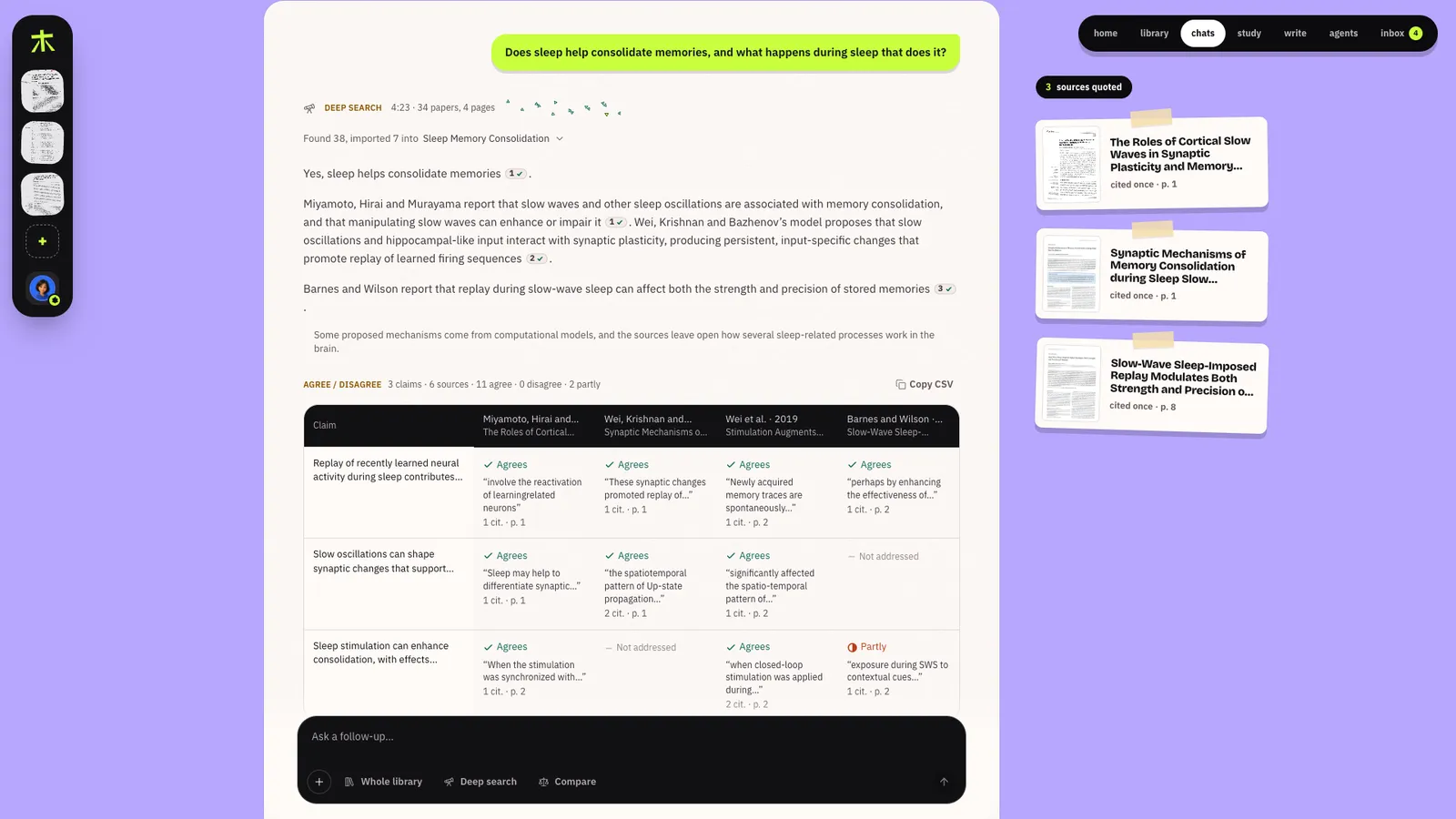
Compare
Turn on Compare and the Analyst lines your sources up: up to six claims down the side, each source's stance across (Agrees, Disagrees, Partly, Not addressed), each stance with its quote and page, every quote checked in Zetaris. Copy CSV takes the table with you, and what it found stays on the space's knows page. It also runs when the Planner sees a question that compares sources, as long as the passages come from two or more files.
When your library runs out
If nothing you've added is close enough, the answer is This isn't in your library yet., never a guess: it lists every search it tried and offers Find sources, Upload files and Import by URL or DOI (that dialog takes a link or a DOI, as ⌘K does). Find sources (or the Deep search toggle) sends the Scout to open papers on OpenAlex and the web; you choose what to import, then the question is answered from them. You can Stop an answer or a deep search while it runs. How deep search works
From a passage
Select text in a PDF you own and a toolbar offers Ask (quote it into the chat), Explain (a new chat explaining it in plain words, and what it rests on), Highlight (kept in the file's Details), Flashcard, Cite (copied in your citation style) and Copy.
What you can do with an answer
| Action | What it does |
|---|---|
| ▶ listen | Reads it aloud, the spoken sentence underlined |
| copy | With its sources |
| good / not right | not right asks What was wrong? and Konkyo remembers it before the next answer |
| to a note | Into a note, with its citations |
| pin | Onto a space's wall |
| ask again | A fresh answer to the same question |
Chats are saved in Chats, grouped by space, and export as PDF, Word or Markdown with every quote and the line saying what was checked.